Home/Integrations/SoftAdvice apps/Pix Resizer
SoftAdvice appPix Resizer: lots of photos, a fast vault
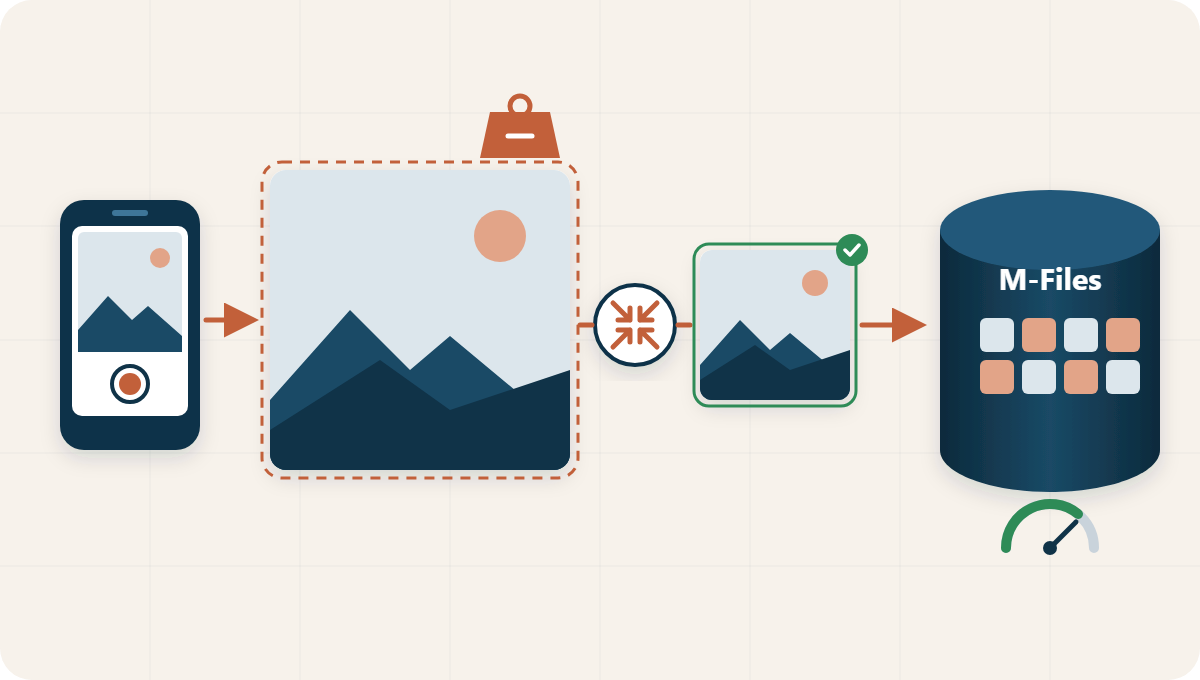
Photos from today’s phones and cameras are large. Pix Resizer automatically resizes them to a predefined width and height the moment they are uploaded to M-Files, so vaults full of site, inspection and service photos stay performant.
See how it works Discuss your photo flow
Illustrative example
In short
Pix Resizer is an M-Files app built by SoftAdvice that automatically resizes large images to a predefined width and height when they are uploaded to the vault. It is an internal utility that needs no action from users. It keeps vaults performant where teams store many photos, such as field service, real estate, engineering and construction, and production.
Large photos in, the right size stored
Resized the moment a photo arrives
When a user or a process adds a large image to M-Files, Pix Resizer resizes it automatically to the width and height you defined. Users keep working as they do today: take the photo, upload it, done.
- Predefined width and height
- No extra step for the user
- Works in the background
A vault that stays fast as photos pile up
Full-size photos make a vault heavier with every upload: they take longer to open, preview and synchronise. With every image stored at a sensible size, the vault stays responsive, also for colleagues on the road.
Illustrative example
Where photo documentation weighs on the vault
Examples from the sectors where Pix Resizer is used.
Real estate
Photos for inspections, condition reports and property files, taken on site and added straight to the property dossier.
Engineering and construction
Site photos for progress reports, snag lists and as-built documentation, uploaded daily from the site.
Production
Photos from quality inspections, machines and maintenance, linked to the product, order or installation.
Field service
Technicians add before and after photos to the work order or service report from their phone.
Why resize photos on upload
A small utility that keeps the whole vault pleasant to work with.
A fast vault
Photos open and preview quickly, also when there are thousands of them.
Nothing to remember
Resizing happens automatically; nobody has to edit photos first.
Consistent images
Every photo is stored at the same predefined width and height.
Smooth on the road
Smaller images are easier to work with on mobile connections.
Lighter storage
The vault does not fill up with full-size camera files.
Part of the dossier
Photos sit with the property, project, product or work order they document.
At a glance
Pix Resizer is built and supported by SoftAdvice. We install it in your vault and set the width and height that suit your photo documentation.
Datasheet
- System
- M-Files
- Type
- Internal utility
- When
- Automatically on upload
- Result
- Images at a predefined width and height
- Sectors
- Real estate, engineering and construction, production
- Availability
- International
Questions about Pix Resizer
What does Pix Resizer do?
It automatically resizes large images to a predefined width and height when they are uploaded to M-Files.
Do users have to do anything?
No. It is an internal utility that works in the background on upload. Users add photos as they always do.
Why do large photos slow a vault down?
Full-size photos are heavy files. The more of them a vault holds, the longer opening, previewing and synchronising take.
Who is it for?
For organisations with heavy photo documentation, such as real estate, engineering and construction, production and field service.
Can we choose the size?
Yes. The width and height are predefined, and we set them with you to match how the photos are used.
Lots of photos in your vault?
We look at how your teams document with photos and set Pix Resizer up for it.