Home/Integrations/SoftAdvice apps/SoftAdvice PowerPack/Audit Trailer
SoftAdvice PowerPackEvery workflow step, ready for the auditor
The PowerPack Audit Trailer records who moved a document to which state, and who approved or rejected an assignment, with the comment. One step later you have a PDF or Excel audit log.
See how it works Discuss PowerPack
Illustrative example
In short
The SoftAdvice PowerPack Audit Trailer logs every workflow state transition and every assignment approval or rejection in M-Files, including the comment, on an audit trail log object. When that object is moved to its render state, PowerPack produces a PDF or Excel audit log. It gives auditors a readable overview of who did what and when, without exporting history by hand. The Audit Trailer is part of the PowerPack Extended and Full editions.
From workflow to audit log in three steps
The log object is created automatically once the configuration is saved.
People work as usual
Documents move through their workflow and assignments are approved or rejected.
PowerPack logs each step
State transitions and approvals, with who, when and the comment, are kept on the audit trail log object.
Render the audit log
Move the log object to its render state and PowerPack produces the audit log as PDF or Excel.
The workflow you see, the history you can prove
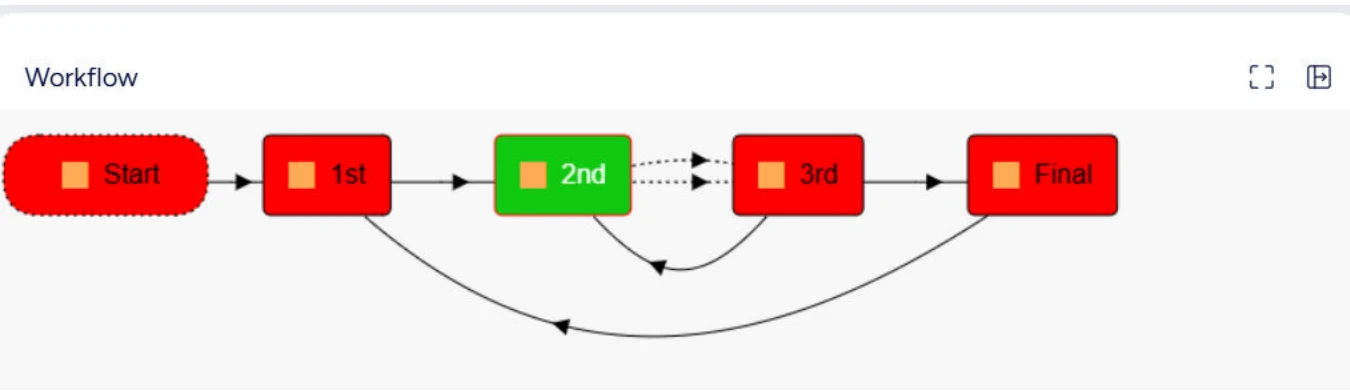
Every move between states of the workflow is recorded, including the steps back. Combined with the Workflow Visualizer, users see where a document is, and auditors get the full history.
- State transitions with user and time
- Assignment approvals and rejections with comments
- Audit log as PDF or Excel, in a fixed layout
Questions about the Audit Trailer
Which edition do we need?
The Audit Trailer is part of the Extended and Full editions of PowerPack.
Can we change the layout of the audit log?
No. The PDF and Excel layouts are fixed, so every audit log looks the same.
Does M-Files not have a history already?
It does. The Audit Trailer turns the workflow steps and approvals into one readable report that you can hand to an auditor.
Do users notice anything?
No. Logging happens in the background while they work in their workflows.
Ready for your next audit?
We show you the Audit Trailer on one of your own workflows.