Home/Integrations/SoftAdvice apps/SoftAdvice PowerPack/Metadata automation
SoftAdvice PowerPackMetadata that fills and checks itself
The PowerPack Basic module builds titles, calculates dates, reads values from text and checks VAT, IBAN and national register numbers when a document is saved. Plus a few things that make daily work in M-Files easier.
See the functions Discuss PowerPack
Illustrative example
In short
The SoftAdvice PowerPack Basic module automates metadata in M-Files. Automatic Titles builds titles from rules and templates, Text Calculations reads values from a text property into other properties, and Date Calculations adds periods or calculates weeks, quarters and differences. The VAT Sanitizer cleans VAT numbers, and Validation Properties checks VAT, Belgian IBAN and national register numbers at check-in. The Workflow Visualizer, Desktop Link and Document Splitter make daily work easier.
Eight functions in the Basic module
Switch on the functions your vault needs. An administrator sets the rules; users see the result.
Every title the same, without typing
Titles are built from the metadata with rules. Each rule has filters and a priority, and can have sub-rules.
- If-then-else templates for titles that depend on the content
- Titles in the language and date format you choose, also translated titles
- Long titles cut off cleanly at 100 characters if you want
Illustrative example
Values read and calculated for you
Text Calculations reads a text property with a regular expression and fills other properties, for example type and total amount from "Invoice - 1500". Date Calculations adds years, months or days to a date.
- Values matched to value list items by name, and text transformed
- Results as a date, a difference between dates, a week number, a quarter or a formatted date
- Overwrite always, only when empty, or only when the date has passed
Illustrative example
Wrong numbers stopped at the door
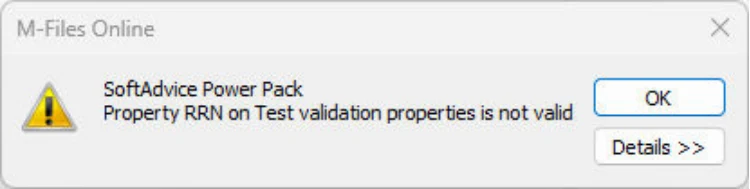
The VAT Sanitizer removes special characters from VAT numbers and adds a default country code. Validation Properties shows an error at check-in when a value is not valid.
- VAT numbers of 28 EU countries checked on format, with a checksum for Belgium, France and Great Britain
- Belgian IBAN checked, with the BIC filled in if you want
- Belgian national register numbers checked and formatted, plus your own rules with regular expressions
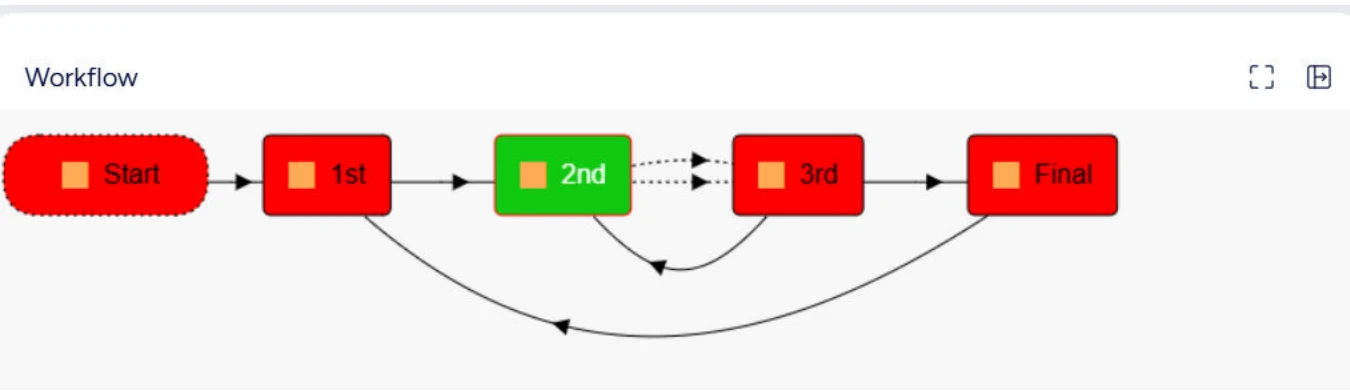
See where a document is in its workflow
A tab in the right pane draws the active workflow of the selected object, with the current state highlighted. Colours can be set to your house style.
One file per document, and links that work in Teams
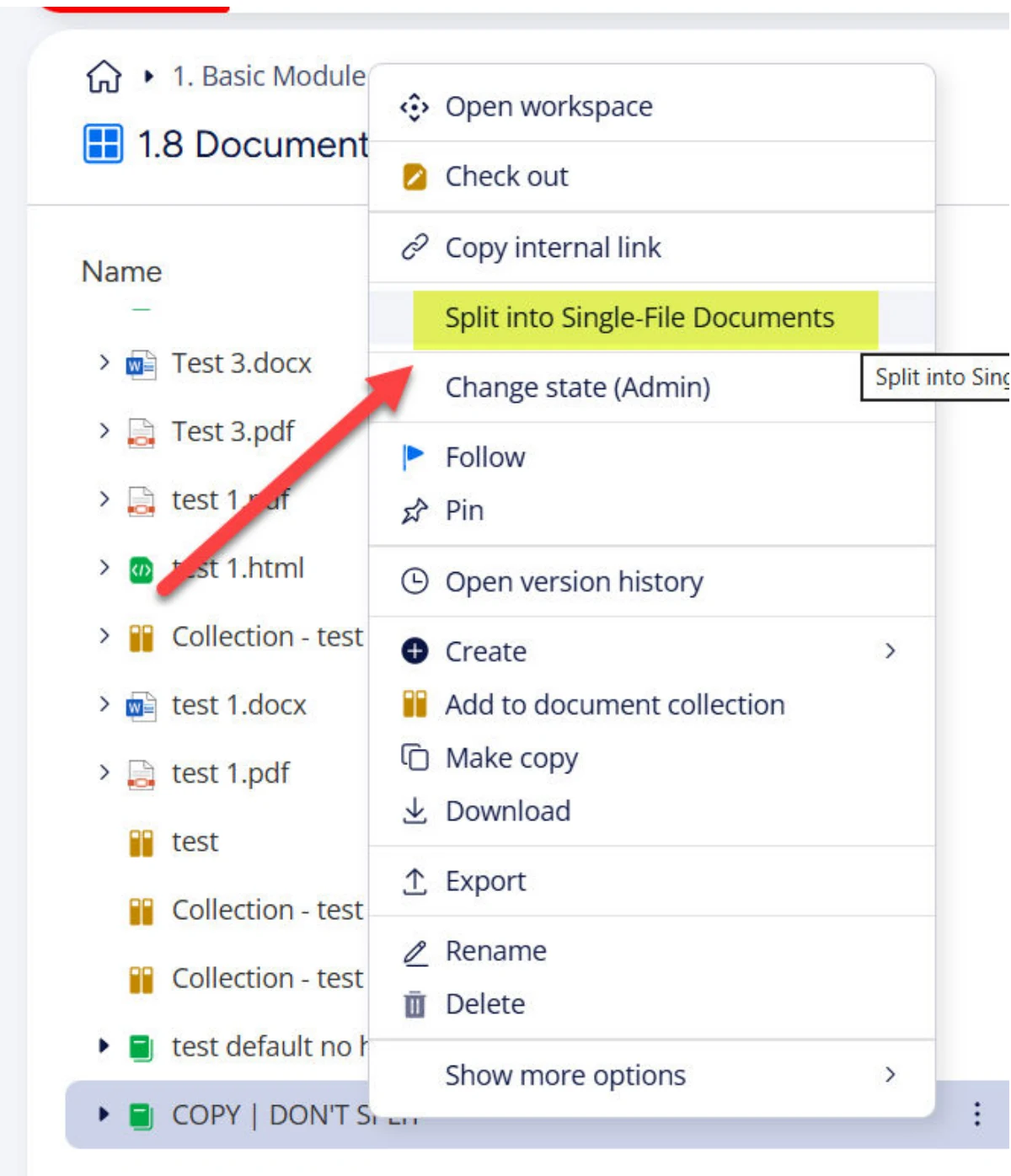
Document Splitter turns a multi-file document into single-file documents, from the context menu or at a workflow state, and can group them in a collection. Desktop Link copies a link to a document that works when pasted in Teams or Outlook, to a fixed version or the latest.
- The original stays visible in the version history
- Desktop Link works in the classic M-Files Desktop
Questions about metadata automation
Which edition do we need?
All functions on this page are in the Basic module, so they are included from the Basic edition.
When are titles and calculations updated?
When a document is checked in or updated. An administrator can also trigger a recalculation for all objects that match a filter.
Does the VAT Sanitizer check whether a VAT number exists?
No. It cleans up the notation. Validation Properties checks the format, with a checksum for Belgium, France and Great Britain.
Do users have to do anything?
No. They save documents as usual and see a correct title, calculated dates or an error message when a number is wrong.
Which metadata could fill itself in your vault?
Show us your document types and we show you what PowerPack automates.